
Product guide
Documentation
Set up your search, review applications, track their progress, and understand your plan.
Getting started
Create an account, upload your CV, check the profile Kariyan builds from it and confirm your search preferences. You review each prepared application before you approve it for sending.
From search to application
01Search Setup
Choose the roles, locations and work preferences that guide your search.
02Job Matches
Kariyan ranks company-direct jobs with explainable scoring instead of vague recommendations.
03Prepared applications
See the tailored CV, cover letter, email draft and form answers before anything is approved or sent.
04Applications
Approve sending, then follow the recorded status of each application.
Set up your search
Upload your CV and check the extracted work experience, education and skills in Profile. Correct missing or inaccurate facts before preparing applications.
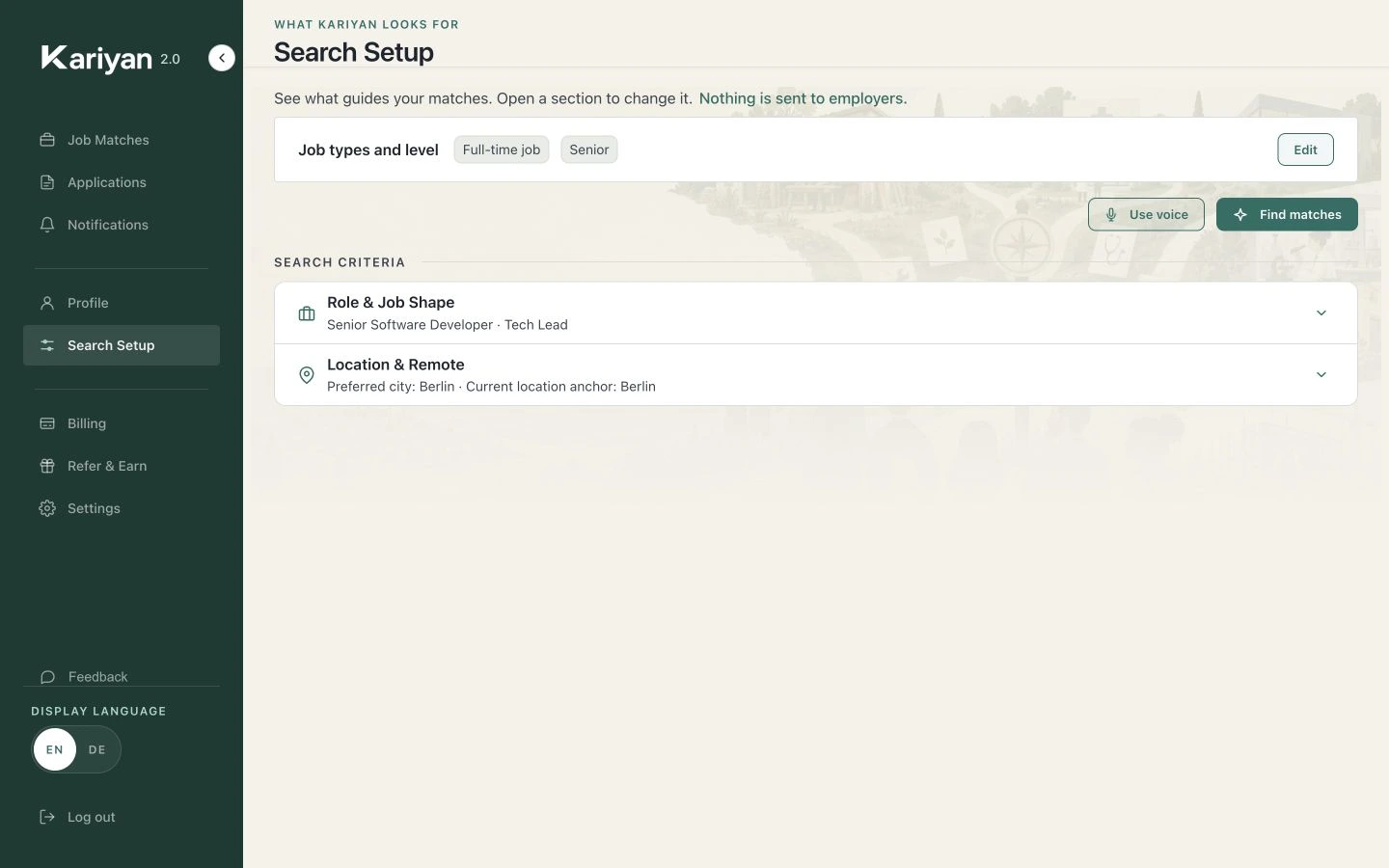
Open Search Setup to review the roles and locations used by your search. Refine with voice is optional; you can also enter preferences as text.
Start your search, then open Job Matches. Read the fit explanation and check language, location and experience requirements before choosing a job.
Prepare and review a document pack
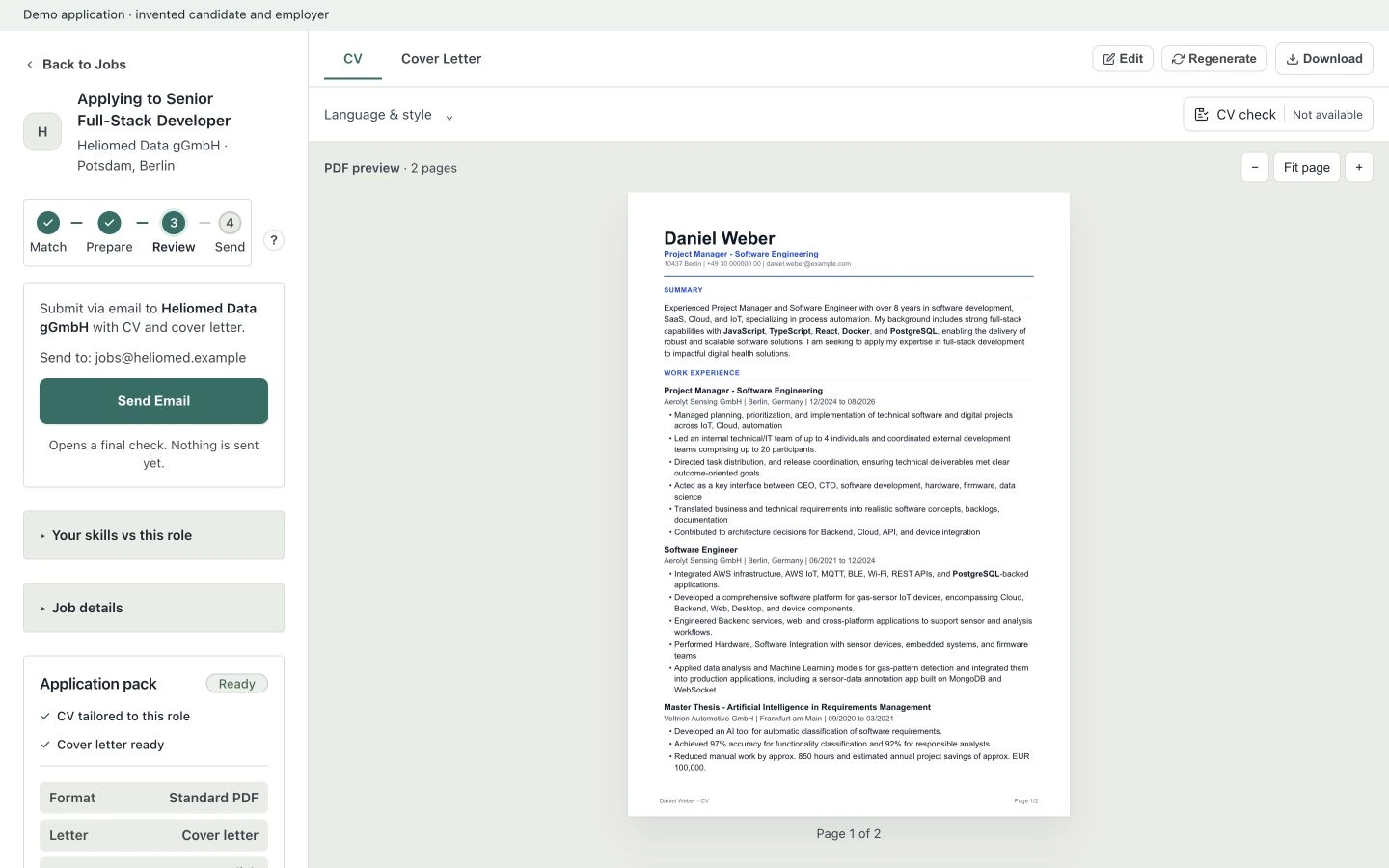
Choose a job and start preparation. Answer required clarification questions with accurate information. Wait for each document to finish.
Open the CV and cover-letter tabs. Check names, dates, employer details and claims. Use Edit to make corrections, then Save changes. Download the PDF to check the final page layout.
Review the sending method and any remaining setup requirement. Approve only when the documents and destination are correct. Prepared documents are not yet sent applications.
Follow the application after approval
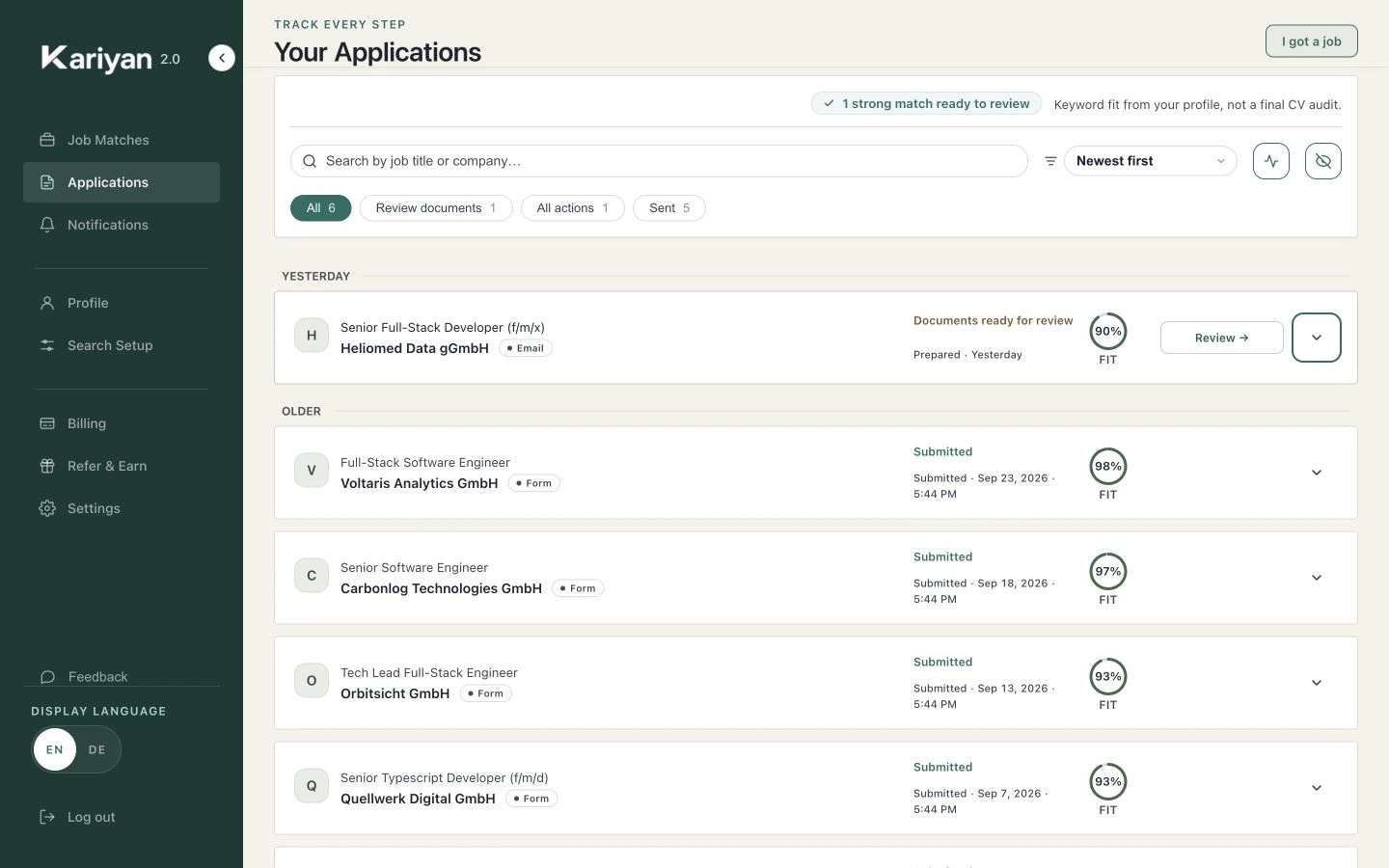
Applications shows your prepared packs and recorded sending states. Expand an entry to inspect its documents and timeline.
Approval starts the selected sending flow. A queued or processing entry is not proof of delivery. Read the final status and any submission evidence.
Review employer replies in the application. Keep manually recorded outcomes accurate. Download your application record when you need a personal record of activity.
Understand your allowances
Plans differ in how many applications and tailored documents you get each month, and in how often Kariyan runs its own search for you. Matching and approval work the same on every plan.
Free Preview
5applications per month
- 15 tailored CV and cover letter sets per month
- Kariyan searches for new jobs for you every week
Starter
30applications per month
- 90 tailored CV and cover letter sets per month
- Kariyan searches for new jobs for you every day
Pro
150applications per month
- 350 tailored CV and cover letter sets per month
- Kariyan searches for new jobs for you every 6 hours
Elite
300applications per month
- 600 tailored CV and cover letter sets per month
- Kariyan searches for new jobs for you every 6 hours
On every plan
- New jobs in the Kariyan index are matched to your profile every 6 hours.
- Nothing is sent without your approval
How your allowances work
- An application counts against your monthly quota when you approve it for sending. Preparing and reviewing it does not.
- Preparing a tailored CV and cover letter for a job uses one preparation from your monthly allowance.
- You can edit your documents and choose a CV format. Asking Kariyan to prepare them again uses another preparation; your own edits do not.
If preparation or sending needs attention
Open the affected application and read its latest status first.
Complete any profile or inbox setup the status asks for.
For a failed document, review the error, then use the offered retry once.
If an operation stays in progress unusually long, write to hello@kariyan.de with the application title and time.
Do not send a second application just because a result is delayed.
Closed beta features
Every application waits for your review and approval before it is sent. Automatic sending is a closed beta with a small group and not part of any plan. Check the roadmap for its current scope.
Read the roadmapNeed help?
For support or implementation questions, write to us. Support is available in English and German.
hello@kariyan.deSee what fits your profile.
Start free. Review before sending.
Start with 5 free applicationsStart free- 01Tell Kariyan what you want and where you can work.
- 02See why a job fits before you spend time preparing.
- 03Review the application before you choose to send it.